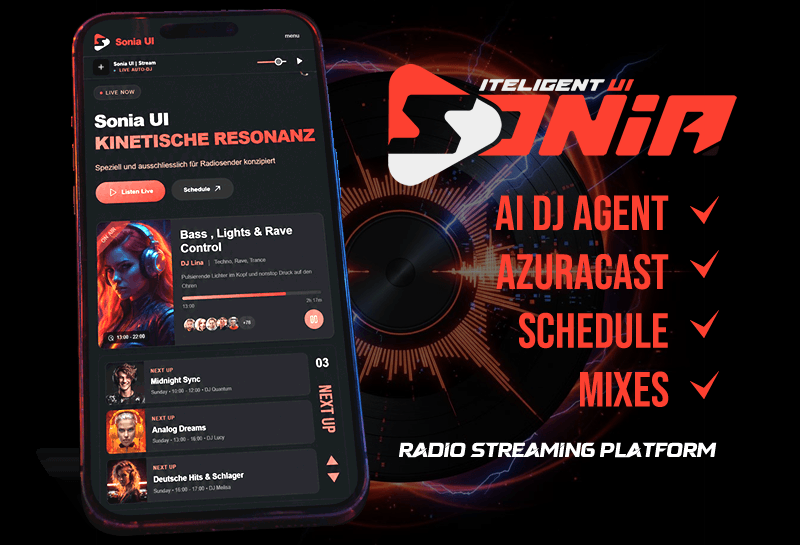
Sonia UI Fully Integrates AzuraCast
Welcome to the Future of Web Radio Management
Sonia UI CMS + AzuraCast Broadcast Integration
The new Sonia UI interface proves that professional broadcast management doesn't have to be complicated. Based on the screenshot of the Sonia UI–AzuraCast backend integration, we see a perfect symbiosis of functionality and modern, responsive design.
Control at a Glance
The dashboard prioritizes uncompromising clarity. Instead of overwhelming users with hidden menus, Sonia UI presents the essential controls directly in the header. The status of the broadcasting service (Icecast) and the AutoDJ (Liquidsoap) is immediately visible. With the prominently placed "Restart" and "Stop" buttons, live stream management becomes child's play—a godsend for any administrator who needs to make quick adjustments while operations are running.
The Psychology of the Stream URL Field
A clever detail is the direct visibility of the stream URL (https://webradio1.lunus.eu:8040/radio.mp3). Sonia UI understands that this is the lifeline of the station. Instead of burying it deep within the settings, it is prominently highlighted, thereby seamlessly facilitating the sharing and distribution of the stream.
The Perfect Symbiosis of Now &
The FutureThe presentation of current tracks serves as proof that Sonia UI is optimized for listener engagement. The "Now Playing" section dominates the center of the screen, featuring large cover artwork and detailed metadata. For instance, the combination of michael jackson x billy jean 80s and the custom IURADIO cover demonstrates how intuitively the system handles both user-uploaded content and live metadata.
Located beneath the currently playing track, the "Recent Tracks" section opens a chronological window into the playlist history. The display of timestamps and track durations—for songs such as Icebreaker by Mezzoforte or All of Me—ensures complete transparency and facilitates journalistic reporting.
Conclusion: More Than Just a Skin
Sonia UI is not merely a fresh coat of paint for AzuraCast; it represents a complete redesign of the broadcasting workflow. The interface not only simplifies controls amidst the hectic pace of daily studio operations but—thanks to its clean, responsive layout—also delivers a modern audio experience that impresses equally on both desktop and tablet devices. For radio stations that prioritize efficiency and a contemporary aesthetic, this integration sets the new gold standard.